
Blog

Boost Engagement with Smart Notification Box Campaigns
A smart notification box campaign is a strategic approach to user engagement that leverages automated, contextually relevant messages to prompt user interaction. This method moves beyond generic alerts, aiming to deliver opportune prompts that guide users toward desired actions or provide valuable information at precisely the right moment. The core principle is to understand user behavior and tailor communication, thereby increasing the likelihood of a positive response.
Smart notification boxes are not merely pop-ups. They are dynamic elements programmed to appear based on specific user actions, website states, or predefined triggers. Unlike static banners, their efficacy lies in their ability to adapt to the user’s journey.
Triggering Mechanisms
The appearance of a smart notification box is governed by a set of rules and conditions. These are the gears that turn the engagement machine.
Time-Based Triggers
One of the simplest triggers is based on the amount of time a user spends on a particular page or the website as a whole. This approach assumes that prolonged engagement might indicate interest, making it an opportune moment to offer further information or a call to action. For example, a user who has spent several minutes browsing product categories might be presented with a notification offering a personalized discount code, assuming they are close to making a purchase.
Action-Based Triggers
These are perhaps the most powerful triggers, responding directly to user behavior. When a user performs a specific action, such as adding an item to their cart, attempting to exit a page, or clicking on a particular link, a notification can be deployed. For instance, if a user adds an item to their cart but does not proceed to checkout after a certain period, a notification could appear offering assistance or highlighting complementary products. Similarly, an exit-intent notification, triggered when a user’s cursor moves towards the browser tab’s close button, can attempt to salvage a potential conversion by offering an incentive or a last-minute reminder.
Scroll-Based Triggers
The depth of a user’s exploration on a page can also dictate notification delivery. A notification can be set to appear after a user has scrolled a certain percentage of the page. This indicates a level of engagement with the content. For example, on a long article page, a scroll-triggered notification could offer to subscribe to a newsletter for more similar content once the user has read a significant portion.
Behavioural Triggers
More sophisticated campaigns analyze patterns of user behavior across their entire session or even over multiple sessions. This can involve tracking pages visited, features used, and previous interactions. For example, a user who has repeatedly visited a specific product page might be targeted with a notification about a limited-time sale on that product.
Personalization and Contextualization
The “smart” in smart notification box refers to its ability to deliver personalized and contextual messages. This moves the user from a faceless statistic to an individual with specific needs and interests.
User Segmentation
Not all users are the same, and their needs vary. Smart notification boxes can be targeted to specific user segments based on demographics, previous purchases, engagement levels, or referral source. A new visitor might receive a welcome offer, while a returning customer might be presented with loyalty rewards.
Dynamic Content
The content within a notification box can be dynamically generated. This means the message can change based on the user’s profile or current context. For instance, a notification offering a discount might display a percentage off for new users and a fixed amount off for loyal customers.
Location-Based Triggers
For businesses with a physical presence, location-based triggers can be highly effective. A user whose device indicates they are physically near a store might receive a notification about in-store promotions or events.
In the quest to enhance user engagement and reduce bounce rates, implementing smart notification box campaigns can be incredibly effective. For further insights on optimizing your website’s performance, you might find the article on the upcoming features in the new version of Notification Box particularly useful. It discusses various strategies and tools that can help improve user retention and interaction. You can read more about it here: Upcoming Notification Box Features.
Strategic Objectives for Smart Notification Box Campaigns
The implementation of smart notification box campaigns is not a random endeavor. It is driven by specific, measurable, achievable, relevant, and time-bound (SMART) objectives.
Enhancing User Experience
A well-executed notification box can act as a helpful guide, smoothing the user’s journey rather than interrupting it. It should feel like an assist, not an intrusion.
Providing Timely Assistance
When a user appears to be struggling or hesitant, a notification box can offer immediate support. This might involve a prompt to access a FAQ, initiate a live chat, or suggest a relevant help article. For example, if a user is repeatedly hovering over the shipping information section of an e-commerce product page, a notification offering to clarify shipping details addresses their immediate concern.
Offering Relevant Resources
Based on user activity, notifications can direct users to valuable resources they might otherwise miss. This could include tutorials, guides, or product comparisons that can help them make informed decisions. If a user is exploring a complex feature of a software product, a notification linking to a video demonstration can be highly beneficial.
Guiding Through Complex Processes
For multi-step processes like account creation, checkout, or onboarding, notification boxes can provide gentle nudges and reminders, ensuring users don’t drop off due to confusion or oversight. A notification might remind a user to complete a step in a signup form or highlight a required field they have missed.
Driving Conversions and Sales
The ultimate goal for many businesses is to increase revenue, and smart notification boxes can be a potent tool in achieving this. This is where the notification box becomes a salesperson in a digital realm.
Promoting Special Offers and Discounts
Limited-time sales, flash deals, and exclusive discounts are prime candidates for notification box campaigns. By creating a sense of urgency, these prompts can encourage immediate action. A notification appearing on a product page that is on sale, highlighting the limited duration of the offer, can be a powerful lever.
Re-engaging Abandoned Carts
Cart abandonment is a significant challenge in e-commerce. Smart notification boxes can be deployed as a last-ditch effort to recover these lost sales, perhaps by offering a small discount, free shipping, or a reminder of the items left behind. This is akin to a shopkeeper calling out to a customer who has forgotten their purchases.
Upselling and Cross-selling Opportunities
Once a user has shown interest in a product, notifications can subtly introduce complementary or upgraded items. This leverages existing intent to expand the customer’s basket. If a user adds a camera to their cart, a notification could suggest a compatible lens or memory card.
Improving Data Collection and Lead Generation
Smart notification boxes can be designed to capture valuable user information, thereby building a database for future marketing efforts.
Encouraging Newsletter Subscriptions
For content-heavy websites, a notification box offering a newsletter subscription in exchange for exclusive content or updates can be a highly effective lead generation tool. This is a common tactic to cultivate an engaged audience.
Offering Gated Content
Presenting valuable resources like e-books, whitepapers, or webinars behind a simple sign-up form, often prompted by a notification box, can be a very fertile ground for lead acquisition. This positions the notification box as a gateway to exclusive knowledge.
Gathering Feedback and Surveys
Directly asking users for their opinions through polls or short surveys, often delivered via a notification box, provides invaluable insights into user satisfaction and areas for improvement. This is a direct line to the customer’s voice.
Designing Effective Smart Notification Box Campaigns

The effectiveness of these campaigns hinges on thoughtful design and implementation. A poorly designed notification can be counterproductive.
Crafting Compelling Copy
The words used within a notification box are critical. They must be concise, clear, and persuasive.
Clarity and Conciseness
Users are often scan-reading. Notifications should get straight to the point, avoiding jargon or overly complex sentences. Benefits should be immediately apparent.
Call to Action (CTA) Dominance
Every notification should have a clear and compelling call to action. This is the directive that tells the user what to do next. Buttons should be prominent and action-oriented (e.g., “Shop Now,” “Learn More,” “Get Discount”).
Urgency and Scarcity Principles
When appropriate, incorporating elements of urgency (“Limited Time Offer”) or scarcity (“Only 3 Left”) can significantly boost response rates. However, these should be used genuinely to avoid eroding trust.
Visual Design Considerations
The aesthetic appeal and placement of a notification box play a significant role in its reception.
Non-Intrusive Placement
While notifications are by nature a form of interruption, their placement should be considered to minimize disruption to the user’s primary task. Common placements include the bottom corner of the screen, a subtle slide-in from the side, or a modal window that requires a deliberate close.
Branding Consistency
The visual design of the notification box should align with the overall branding of the website. This ensures a cohesive and professional user experience. Consistent fonts, colors, and logos reinforce brand identity.
Mobile Responsiveness
With the prevalence of mobile browsing, it is essential that notification boxes are designed to be responsive and display correctly across all devices, especially smartphones. An unreadable or unusable notification on mobile is a wasted opportunity.
Targeting and Timing Optimization
The precision with which a notification is delivered is as important as its content.
A/B Testing Variations
To determine what resonates best with the audience, different versions of notification copy, timing, and design should be A/B tested. This iterative process of testing and refinement is crucial for maximizing campaign performance.
Frequency Capping
Overwhelming users with too many notifications can lead to annoyance and a decline in engagement. Implementing frequency capping ensures that a user is not presented with notifications too often, thereby preserving a positive user experience.
Behavioral Analysis for Refinement
Continuously monitoring user interactions with notification boxes provides data that can be used to refine targeting rules and triggers. If a particular type of notification is consistently ignored, its triggers or content may need adjustment.
Measuring the Success of Smart Notification Box Campaigns
The true value of these campaigns lies in their ability to deliver measurable results. Without tracking, it’s like sailing without a compass.
Key Performance Indicators (KPIs)
Several metrics are essential for evaluating the effectiveness of notification box campaigns.
Click-Through Rate (CTR)
This measures the percentage of users who saw a notification and then clicked on the call to action. A high CTR indicates that the notification was relevant and persuasive.
Conversion Rate
Beyond just clicks, the ultimate goal is often a conversion (e.g., a purchase, a signup). This KPI tracks how many users who interacted with a notification went on to complete the desired action.
Exit Rate Reduction
For exit-intent notifications, a key KPI is the reduction in the user’s exit rate from the page where the notification was displayed.
Lead Generation Volume
For campaigns focused on lead capture, the number of new leads generated through notification box sign-ups is a direct measure of success.
Revenue Attribution
In e-commerce scenarios, it’s crucial to attribute revenue generated to specific notification box campaigns. This helps to understand the direct financial impact.
Analytical Tools and Techniques
Utilizing the right tools is fundamental to effective measurement.
Web Analytics Platforms
Tools like Google Analytics provide essential data on user behavior, conversion tracking, and campaign performance. Custom event tracking can be set up to monitor notification interactions.
A/B Testing Software
Dedicated A/B testing platforms allow for the systematic comparison of different campaign elements to determine which performs best.
Heatmaps and Session Recordings
These tools offer visual insights into how users interact with website elements, including notification boxes, helping to identify areas of confusion or success.
Iterative Improvement and Optimization
The data gathered should not be static. It should inform ongoing improvements to campaign strategy.
Analyzing User Flow
Understanding how users navigate the site after interacting (or not interacting) with a notification can reveal patterns and inform future targeting.
Feedback Loop Integration
Data from surveys and feedback gathered by notification boxes should be integrated into the optimization process.
Continuous A/B Testing
The process of testing and refinement should be ongoing, as user behavior and market conditions evolve.
One effective strategy for enhancing user engagement and reducing bounce rates is the implementation of smart notification box campaigns. These campaigns can significantly capture visitors’ attention and encourage them to explore more of your content. For further insights on this topic, you may find it helpful to read about the recent launch of the Notification Box Lite plugin, which offers innovative features to help optimize user interaction on WordPress sites. You can check it out here.
Ethical Considerations and Best Practices
| Metric | Before Campaign | After Campaign | Improvement | Notes |
|---|---|---|---|---|
| Bounce Rate | 65% | 40% | 25% decrease | Significant reduction due to targeted notifications |
| Average Session Duration | 1 min 20 sec | 2 min 10 sec | 50% increase | Users engaged longer after notifications |
| Click-Through Rate (CTR) on Notifications | N/A | 18% | N/A | Percentage of users clicking on smart notifications |
| Conversion Rate | 3.5% | 5.2% | 1.7% increase | Improved conversions linked to notification campaigns |
| Exit Rate | 70% | 50% | 20% decrease | Fewer users leaving immediately after landing |
While powerful, smart notification boxes must be implemented ethically to maintain user trust.
Transparency and User Control
Users should always have a clear understanding of why they are seeing a notification and how they can control them.
Clear Opt-Out Options
Providing an easy and accessible way for users to disable or manage notification preferences is paramount. Users should not feel trapped by these prompts.
Avoiding Deceptive Practices
Notifications should never use misleading language or create false urgency. Honesty builds long-term relationships.
Respecting User Experience
The primary goal should always be to enhance, not detract from, the user’s experience.
Avoiding Over-Notification
As mentioned previously, excessive notifications can be detrimental. Respecting user attention spans is key.
Focusing on Value
Each notification should offer genuine value to the user, whether it’s information, assistance, or a relevant offer.
Avoiding Unsolicited Personal Data Collection
While personalization is key, it should not come at the expense of user privacy. Data collection practices should be transparent and compliant with regulations.
In conclusion, smart notification box campaigns offer a sophisticated and adaptable method for engaging users online. By understanding the underlying mechanics, defining clear strategic objectives, designing with precision, and measuring outcomes rigorously, businesses can transform these digital prompts into powerful tools for enhancing user experience, driving conversions, and fostering sustained engagement. The key lies in a balanced approach that prioritizes user value and ethical implementation.
TRY NOTIFICATION BOX WORDPRESS PLUGIN
FAQs
What is a bounce rate in website analytics?
Bounce rate refers to the percentage of visitors who navigate away from a website after viewing only one page, without interacting further or visiting other pages.
How can smart notification box campaigns help reduce bounce rate?
Smart notification box campaigns engage visitors with targeted messages, offers, or prompts that encourage interaction, guiding users to explore more pages and thereby lowering the bounce rate.
What types of notifications are most effective in reducing bounce rates?
Personalized, timely, and relevant notifications such as exit-intent pop-ups, discount offers, or content recommendations tend to be most effective in capturing visitor attention and reducing bounce rates.
Can smart notification boxes be customized based on user behavior?
Yes, smart notification boxes can be programmed to display different messages based on user actions, time spent on the site, or referral source, making them more relevant and effective.
Are there any best practices for implementing notification box campaigns?
Best practices include avoiding intrusive or excessive notifications, ensuring mobile responsiveness, testing different messages for effectiveness, and targeting notifications based on user segments to enhance engagement without disrupting the user experience.
BUY NOW
-
Sale!

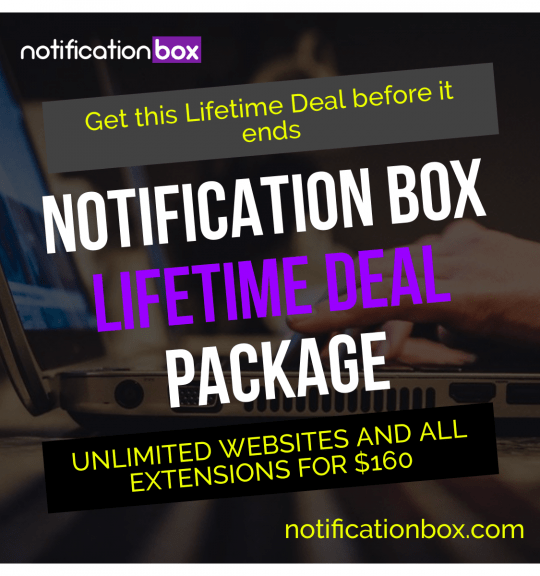
Notification Box Lifetime Deal Package
Original price was: $278.00.$160.00Current price is: $160.00. Add to cart -
Extension – Cookie Close Notification Box
$19.00 Add to cart -
Extension – Notification Box Newsletter
$29.00 Add to cart -
Sale!
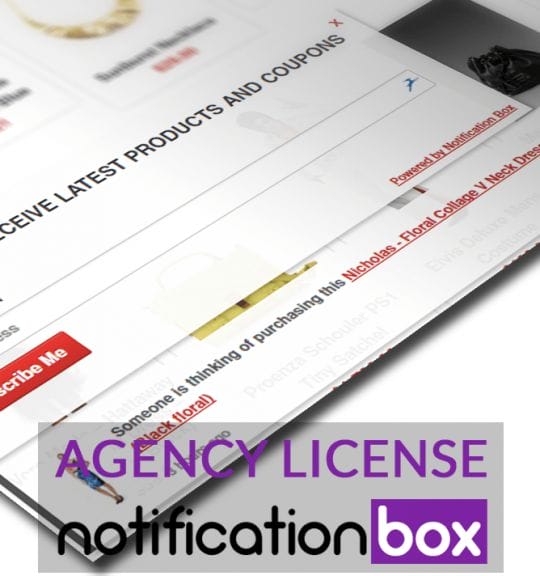
Agency License – Notification Box – WordPress Plugin
Original price was: $230.00.$150.00Current price is: $150.00. Add to cart -
Sale!
Unlimited License – Notification Box Pro – WordPress Plugin
Original price was: $79.00.$60.00Current price is: $60.00. Add to cart -
Single License – Notification Box Pro – WordPress Plugin
$39.00 Add to cart
Products
-
Notification Box Lifetime Deal Package
Original price was: $278.00.$160.00Current price is: $160.00.
-
Extension - Cookie Close Notification Box
$19.00
-
Extension - Notification Box Newsletter
$29.00
-
Agency License - Notification Box - WordPress Plugin
Original price was: $230.00.$150.00Current price is: $150.00.
-
Unlimited License - Notification Box Pro - WordPress Plugin
Original price was: $79.00.$60.00Current price is: $60.00.