
Blog

Boost Your Leads with Notification Box Email and Signup Alerts
A notification box, often integrated into a website’s design, serves as a discreet yet prominent element to capture user attention for email list growth. This feature, when implemented effectively, acts as a digital bridge, connecting website visitors with the opportunity to engage further with content and receive future communications. The primary objective is to convert casual browsers into subscribers, thereby building a valuable database of potential customers or engaged community members.
The notification box functions as a focused point of interaction. It is strategically placed to be visible without being overly intrusive, aiming to catch the user’s eye at opportune moments in their browsing journey. Its effectiveness hinges on its ability to clearly communicate value to the visitor, incentivizing them to provide their contact information. Think of it as a well-placed conversational hook, designed to initiate a dialogue rather than demanding immediate attention.
The Psychology of Placement and Timing
The effectiveness of a notification box is not solely about its presence, but also its placement and the timing of its appearance. A box that appears immediately upon a user’s arrival can be perceived as an annoyance, a barrier to entry. Conversely, a box that materializes after a user has spent a reasonable amount of time on a page, or after they have demonstrated engagement through certain actions, can feel more contextual and less intrusive. This timing is critical; it’s akin to approaching someone when they’ve paused to admire something, rather than interrupting them mid-stride.
Above the Fold vs. Below the Fold Strategies
The placement strategy can vary. “Above the fold” content is what users see without scrolling. Placing a notification box here can lead to immediate visibility but also risks alienating visitors who haven’t yet explored the site’s offerings. “Below the fold” placement, conversely, means the box appears as the user scrolls down. This often indicates a higher level of engagement, suggesting the user is interested in the content and might be more receptive to an invitation to subscribe. This is like offering a brochure once someone has shown interest in a particular exhibit.
Exit-Intent Technology
A sophisticated approach involves “exit-intent” technology. This mechanism detects when a user is about to leave the website, typically by observing mouse movements indicating an intent to close the tab or navigate away. At this critical juncture, a notification box can appear, offering a final incentive to subscribe before the visitor departs. This acts as a last-chance offer, attempting to retain the visitor’s interest before they vanish into the digital ether.
Designing for Visibility and Clarity
The visual design of a notification box is paramount. It must be distinct enough to be noticed but blend harmoniously with the overall website aesthetic to avoid disrupting the user experience. Clarity in its messaging—what is being offered and why the user should subscribe—is equally important. A cluttered or confusing design will likely lead to dismissal rather than engagement.
Color Contrast and Iconography
The use of color contrast plays a significant role in drawing the eye. A notification box that utilizes colors distinct from the background, but not jarringly so, can effectively capture attention. The inclusion of relevant iconography can also quickly convey the purpose of the box, for example, an envelope icon for email subscriptions.
Compelling Call-to-Action (CTA) Text
The text within the notification box is the engine driving conversions. It needs to be concise, persuasive, and clearly articulate the benefit of subscribing. Generic phrases like “Sign Up” or “Subscribe” are often less effective than benefit-driven CTAs such as “Get Exclusive Discounts” or “Receive Weekly Insights.” The CTA is the persuasive whisper that encourages the click.
In the realm of effective lead generation strategies, utilizing tools like Notification Box can significantly enhance your outreach efforts. For those interested in optimizing their email and signup notifications, a related article that delves deeper into these techniques is available at Notification Box Lite is Out Now. This resource provides valuable insights on how to leverage notification boxes to capture leads more efficiently and improve overall engagement with potential customers.
The Role of Email Capture in Building Customer Relationships
Email capture is not merely about accumulating addresses; it’s about establishing a direct channel of communication. This channel allows for nurturing relationships, providing ongoing value, and ultimately driving conversions. A well-maintained email list can be a powerful asset for any business or organization.
Nurturing Leads Through Targeted Email Campaigns
Once a user subscribes, the journey of building a relationship begins. This is where email marketing takes center stage. Instead of broadcasting generic messages, targeted campaigns can be developed based on user interests, behavior, or demographic information. This personalization increases relevance and engagement, making subscribers feel understood and valued.
Segmentation and Personalization
Segmentation of the email list into smaller, distinct groups allows for highly personalized communication. For example, a retail website might segment its list into customers who have purchased specific product categories or those who have shown interest in particular promotions. This level of granular targeting ensures that subscribers receive content that is most relevant to them, minimizing the risk of them feeling overwhelmed or uninterested.
Content Strategy for Engagement
The content of the emails themselves is crucial for maintaining subscriber engagement. This can range from informative newsletters and exclusive offers to behind-the-scenes glimpses and community updates. The key is to consistently provide value that reinforces the initial reason for subscribing. Each email sent is an opportunity to reinforce the positive decision the subscriber made.
Measuring the Effectiveness of Email Capture
The success of a notification box and subsequent email capture efforts can be quantified through various metrics. This data provides insights into what is working and what can be improved. Without measurement, efforts can become like navigating without a compass.
Conversion Rates and Opt-in Rates
Key metrics include the conversion rate of the notification box itself (the percentage of visitors who see the box and subscribe) and the overall opt-in rate for the email list. Analyzing these rates helps understand the effectiveness of the box’s design, placement, and the value proposition offered.
Subscriber Engagement Metrics
Beyond initial capture, subscriber engagement is vital. Metrics such as open rates, click-through rates, and unsubscribe rates provide insights into the quality of the email content and the overall health of the subscriber list. Low engagement rates might signal a need to re-evaluate the content strategy or segmentation practices.
Implementing Signup Alerts for Enhanced Lead Generation

Signup alerts, often associated with notification boxes, provide an immediate confirmation and often a valuable next step for the newly subscribed user. These alerts serve to solidify the user’s decision and set expectations for future communication.
Designing Effective Welcome Emails
The welcome email is the first impression an organization makes on a new subscriber. It should be warm, welcoming, and clearly reiterate the benefits of joining the email list. It’s essentially the handshake after the initial introduction.
Delivering on Initial Promises
If the notification box promised a discount code, the welcome email is the perfect place to deliver it. If it promised exclusive content, links to that content should be provided. Failing to deliver on initial promises can lead to immediate unsubscribes and damage credibility.
Setting Expectations for Future Communication
The welcome email should also inform subscribers about what kind of emails they can expect, how often they will receive them, and how they can manage their preferences. Transparency here helps build trust and reduces the likelihood of future complaints or unsubscribes due to communication overload.
Utilizing On-Screen Notifications Post-Signup
Beyond email, on-screen notifications can be used after signup to further engage the user and guide them toward desired actions. These can be subtle prompts or more direct calls to action, depending on the website’s goals.
Guiding New Subscribers Through the Website
Once a user has subscribed, they may benefit from a brief tour or suggestions of relevant content. On-screen notifications can highlight specific sections of the website, popular articles, or ongoing promotions that align with their newly expressed interest. This is like a host offering to show a guest around their home.
Prompting Social Sharing and Engagement
New subscribers might also be encouraged to follow social media channels or share content. On-screen prompts can facilitate these actions, extending the reach of the organization and fostering a more connected community.
The Technical Aspects of Notification Boxes and Signup Alerts

Implementing notification boxes and signup alerts requires consideration of various technical factors to ensure smooth operation and a positive user experience. This is the foundation upon which the user interaction is built.
Responsiveness and Cross-Browser Compatibility
The notification box must be designed to function flawlessly across a wide range of devices, from large desktop monitors to small mobile screens. Similarly, it needs to be compatible with all major web browsers to ensure no potential subscriber is excluded due to technical limitations.
Mobile Optimization
In an era where mobile browsing dominates, an unoptimized notification box on a smartphone is a significant deterrent. It might be too large, obstruct content, or be difficult to close, leading to immediate frustration and abandonment. Mobile optimization is not an option; it’s a necessity.
Browser Testing Protocols
Rigorous testing across different browsers (Chrome, Firefox, Safari, Edge, etc.) and their various versions is crucial. This helps identify and rectify any rendering issues or functional discrepancies that could hinder the user experience.
Integration with Email Marketing Platforms
Seamless integration with existing email marketing platforms (such as Mailchimp, HubSpot, Constant Contact, etc.) is essential for efficient lead management. This automation streamlines the process of adding new subscribers to lists and initiating automated email sequences.
API Connectivity and Webhooks
Modern email marketing platforms often offer APIs (Application Programming Interfaces) or support webhooks. These technologies allow for real-time data transfer between the website’s notification box and the email platform, ensuring that new leads are captured and processed instantly.
Data Synchronization and List Management
Ensuring that contact information is correctly synchronized between the website and the email platform is vital. This includes maintaining accurate subscriber data, managing opt-in statuses, and ensuring compliance with privacy regulations.
If you’re looking to enhance your lead generation strategies, you might find the article on the recent updates in Notification Box particularly insightful. This piece discusses the latest features and improvements that can help streamline your email and signup notifications, making it easier to engage potential customers. You can read more about these enhancements in the article found here. Implementing these updates could significantly boost your lead generation efforts and improve overall user experience.
Best Practices for Maximizing Lead Generation with Notification Boxes
| Lead Generation Hack | Metric | Before Implementation | After Implementation | Improvement (%) | Notes |
|---|---|---|---|---|---|
| Notification Box Email Capture | Email Signups per Day | 50 | 120 | 140% | Using a sticky notification box increased visibility |
| Signup Notifications (Social Proof) | Conversion Rate | 2.5% | 4.8% | 92% | Real-time signup alerts boosted trust and urgency |
| Notification Box Email Capture | Bounce Rate | 65% | 50% | 23% | More engaging signup form reduced bounce |
| Signup Notifications (Social Proof) | Average Time on Page | 1 min 20 sec | 2 min 5 sec | 56% | Increased engagement due to dynamic notifications |
| Combined Hacks | Monthly Leads Generated | 1,500 | 3,400 | 127% | Synergistic effect of both hacks implemented |
Beyond the technical implementation and design, a strategic approach informed by best practices is key to achieving optimal results from notification boxes and signup alerts. This is about refining the process for maximum impact.
A/B Testing for Continuous Improvement
The digital landscape is dynamic, and what works today may not work tomorrow. Continuous improvement through A/B testing is essential. By testing different variations of notification box design, CTA text, timing, and offers, you can identify the most effective combinations. This iterative process is like tuning an instrument to achieve perfect harmony.
Testing Different Offers and Incentives
Experiment with various incentives. Is it a discount, a free ebook, early access to content, or a chance to win a prize that most resonates with your audience? A/B testing these offers can reveal which ones drive the highest conversion rates.
Iterating on Design and Copy
Small changes in button color, headline wording, or the overall layout of the notification box can have a significant impact. Regularly test these elements to refine the user experience and increase engagement.
Respecting User Privacy and GDPR Compliance
In today’s data-conscious environment, respecting user privacy and adhering to regulations like GDPR (General Data Protection Regulation) is not just a legal requirement but also a crucial factor in building trust. Transparency about data usage and clear opt-out mechanisms are paramount.
Clear Privacy Policies and Consent Mechanisms
Ensure that privacy policies are easily accessible and clearly explain how user data will be collected, used, and protected. Opt-in mechanisms for email subscriptions must be explicit, requiring an affirmative action from the user.
Providing Easy Opt-Out Options
Subscribers should have a straightforward and easily accessible way to unsubscribe from emails at any time. Hiding or complicating the opt-out process can lead to frustration and negative sentiment towards the brand.
Leveraging Analytics for Data-Driven Decisions
Leveraging website analytics and email marketing platform data is not optional; it’s fundamental to making informed decisions about lead generation strategies. This data acts as the storyteller of user behavior.
Tracking Key Performance Indicators (KPIs)
Regularly monitor KPIs such as website traffic, bounce rates, conversion rates of notification boxes, email open rates, click-through rates, and unsubscribe rates. This comprehensive view allows for identification of trends and areas needing attention.
Understanding User Behavior Patterns
Analytics can reveal how users interact with notification boxes, which pages they are on when the box appears, and what actions they take after subscribing. This understanding helps refine targeting and personalize the user journey.
TRY NOTIFICATION BOX WORDPRESS PLUGIN
FAQs
What is a notification box in lead generation?
A notification box is a small pop-up or banner on a website that displays messages to visitors, such as email signup prompts or special offers. It helps capture visitor attention and encourages them to take action, like subscribing to a newsletter or signing up for updates.
How do email signup notifications improve lead generation?
Email signup notifications prompt visitors to enter their email addresses, making it easier to collect leads. These notifications increase visibility and engagement, leading to higher conversion rates by reminding users to subscribe before they leave the site.
What are some effective strategies for using notification boxes?
Effective strategies include timing the notification to appear after a visitor has spent some time on the page, personalizing the message based on user behavior, keeping the design simple and non-intrusive, and offering incentives like discounts or exclusive content to encourage signups.
Can notification boxes be customized for different audiences?
Yes, notification boxes can be customized based on user demographics, browsing behavior, or referral source. This targeted approach makes the message more relevant, increasing the likelihood of capturing quality leads.
Are there any best practices to avoid annoying website visitors with notifications?
To avoid annoying visitors, limit the frequency of notifications, provide an easy way to close or dismiss the box, avoid covering important content, and ensure the message is concise and valuable. Testing different designs and timings can also help optimize user experience.
BUY NOW
-
Sale!

Notification Box Lifetime Deal Package
Original price was: $278.00.$160.00Current price is: $160.00. Add to cart -
Extension – Cookie Close Notification Box
$19.00 Add to cart -
Extension – Notification Box Newsletter
$29.00 Add to cart -
Sale!
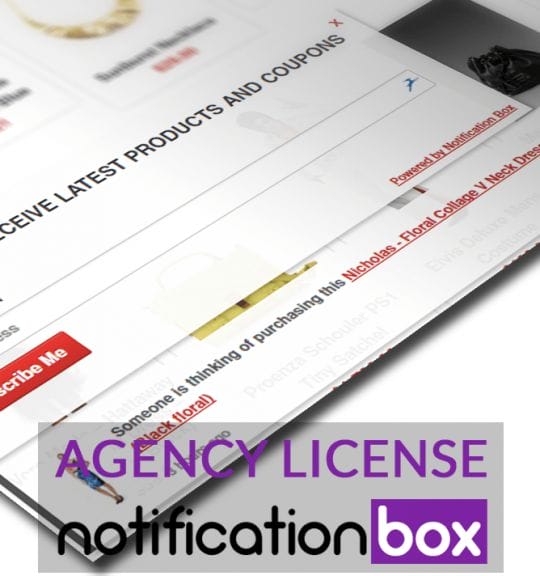
Agency License – Notification Box – WordPress Plugin
Original price was: $230.00.$150.00Current price is: $150.00. Add to cart -
Sale!
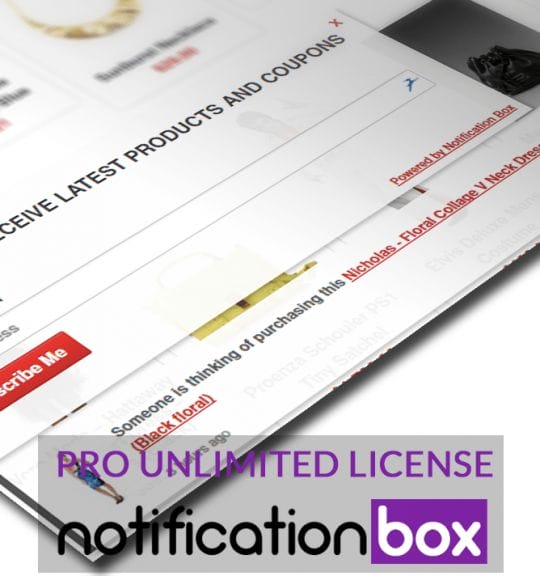
Unlimited License – Notification Box Pro – WordPress Plugin
Original price was: $79.00.$60.00Current price is: $60.00. Add to cart -
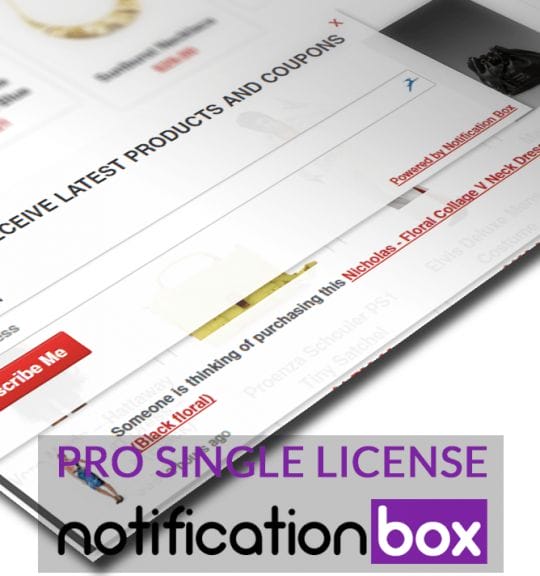
Single License – Notification Box Pro – WordPress Plugin
$39.00 Add to cart
Products
-
Notification Box Lifetime Deal Package
Original price was: $278.00.$160.00Current price is: $160.00.
-
Extension - Cookie Close Notification Box
$19.00
-
Extension - Notification Box Newsletter
$29.00
-
Agency License - Notification Box - WordPress Plugin
Original price was: $230.00.$150.00Current price is: $150.00.
-
Unlimited License - Notification Box Pro - WordPress Plugin
Original price was: $79.00.$60.00Current price is: $60.00.