
Blog

Maximizing Engagement: Announcing New Features and Updates with Notification Box
The strategic communication of new features and updates is a critical component of user engagement for digital platforms. This document outlines a methodology for announcing such changes effectively, focusing on the deployment of a notification box as a primary communication channel. This approach aims to inform users, encourage adoption, and gather feedback, ultimately contributing to platform growth and user satisfaction. By treating each announcement as a carefully calibrated message, platforms can transform passive users into active participants.
The notification box serves as a digital bulletin board, fixed within the user interface. Its purpose is to deliver timely and relevant information without disrupting the core user experience. Unlike intrusive pop-ups that can interrupt workflow, a well-designed notification box offers a subtle yet persistent method of communication.
The Psychology of Notification Design
The effectiveness of a notification box is rooted in principles of user psychology. Users are more likely to engage with content that is perceived as valuable and timely. The design of the notification itself—its placement, visual cues, and the clarity of its message—plays a significant role in its reception. A notification that feels like an intrusion will likely be ignored or even resented, while one that feels like a helpful guide can foster a sense of partnership between the platform and its users.
Visual Cues and User Attention
Visual cues are the first line of attraction. Color, typography, and iconography are employed to draw the user’s eye without being overly aggressive. The goal is to signal that new information is available, prompting a conscious decision to engage. This is akin to a gentle nudge in a crowded room, ensuring you don’t miss an important announcement.
Message Framing and Perceived Value
The way information is framed is crucial. Highlighting the benefit to the user, rather than simply listing features, increases the perceived value. Instead of saying “New feature: improved search algorithm,” consider “Find what you need faster with our enhanced search.” This reframing shifts the focus from what the platform has done to what the user gains.
Placement and Persistence Strategies
The physical location of the notification box within the user interface is not arbitrary. It should be positioned where it is easily visible without obscuring essential functionalities. Common placements include the top header, a sidebar, or within a dedicated dashboard area.
Static vs. Dynamic Placement
Static placement offers predictability, allowing users to develop habitual checks. Dynamic placement, where the box appears only when new information is available, can increase urgency but risks being missed if users aren’t actively looking. A hybrid approach, where a discrete indicator remains visible even when the box is collapsed, can balance these strategies.
Dismissal and Reminder Mechanisms
Users should have control over their notifications. A clear dismiss option is essential. However, for important updates, a subtle reminder mechanism can be employed, perhaps indicated by a badge on the notification icon, without resorting to repeated full-screen interruptions. This respects user autonomy while ensuring critical information is not permanently overlooked.
If you’re looking to enhance your communication strategy regarding new features and updates, you might find it helpful to explore the article on how to effectively use notification boxes for newsletters and cookie consent. This resource provides valuable insights into maximizing user engagement while ensuring compliance with regulations. You can read more about it in the article here: Notification Box Extensions: Newsletter and Cookies.
Crafting Compelling Announcement Content
The content of a notification is its heart. It must be concise, informative, and action-oriented. The primary objective is to communicate the essence of the update and guide the user towards further interaction.
The Art of Conciseness and Clarity
In the digital realm, attention spans are short. Notification copy must be pared down to its essential meaning. Avoid jargon and technical terms that might alienate less experienced users. Each word should serve a purpose, like the meticulously chosen bricks in a sturdy wall.
Headline Brilliance
The headline of a notification is its hook. It should grab attention and immediately convey the core message or benefit. Examples include: “Introducing [Feature Name]: Streamline Your Workflow” or “Important Update: Enhanced Security for Your Account.”
Body Text: The Elevator Pitch
The body text provides a brief expansion on the headline, offering a bit more detail about the update. It should be no more than a few sentences long, and clearly articulate what has changed and why it matters to the user.
Call to Action (CTA) Integration
A notification is not just for informing; it’s a gateway to further engagement. A clear and compelling call to action is vital.
Directing Users to More Information
The CTA should guide users to where they can learn more. This could be a link to a detailed blog post, a feature tutorial, a changelog, or a dedicated landing page. The link should be prominent and clearly labeled.
Encouraging Immediate Interaction
For some updates, the CTA might encourage immediate interaction. This could be a “Try Now” button that activates the new feature or a “View Demo” link. The success of such CTAs hinges on the perceived simplicity and value of the immediate action.
Tailoring Messages to User Segments
A one-size-fits-all approach to notifications is rarely optimal. Segmenting users based on their activity, preferences, or subscription level allows for more relevant and impactful communication.
Personalization Strategies
Leveraging user data allows for personalized messaging. Addressing users by name or referencing their specific usage patterns can significantly increase engagement. For example, “As a frequent user of X, you’ll find our new Y feature particularly useful.”
Contextual Relevance
Notifications should be contextually relevant to the user’s current activity or their known interests. An update about a feature that a user has never utilized may not be as impactful as an update that enhances a feature they use daily.
Implementing the Notification Box: Technical and Design Considerations

The successful deployment of a notification box requires careful consideration of both its technical implementation and its user interface (UI) and user experience (UX) design.
Technical Architecture and Scalability
The notification system must be robust and scalable to handle a growing user base and an increasing volume of updates. This involves selecting appropriate technologies for message queuing, delivery, and storage.
Real-time vs. Batch Delivery
Decisions regarding real-time versus batch delivery of notifications depend on the nature of the update. Immediate alerts for critical security issues benefit from real-time delivery, while feature announcements can be batched for efficiency.
Cross-Platform Compatibility
The notification system should function seamlessly across all supported platforms, whether web, mobile, or tablet. This ensures a consistent user experience regardless of the device used.
UI and UX Design Principles
Beyond functionality, the visual and interactive design of the notification box is paramount to its success. It must be intuitive and aesthetically pleasing.
Visual Hierarchy and Branding
The notification box should align with the platform’s overall brand identity. Consistent use of colors, fonts, and iconography reinforces brand recognition and builds trust. Visual hierarchy within the box helps users quickly scan and prioritize information.
Animation and Transitions
Subtle animations and smooth transitions can enhance the user experience, making the appearance and dismissal of notifications feel natural and less jarring. Overly complex animations, however, can be distracting.
Accessibility and Inclusivity
Ensuring that notification messages are accessible to all users, including those with disabilities, is a fundamental requirement.
Screen Reader Compatibility
The content of notifications must be compatible with screen readers. This means using semantic HTML and providing alternative text for any images or icons.
Color Contrast and Font Size Adjustments
Adequate color contrast between text and background, and the ability for users to adjust font sizes, are essential for readability.
Measuring the Impact of Notification Campaigns
Without measurement, an initiative remains an unproven hypothesis. Tracking key metrics is essential to understand the effectiveness of notification strategies and to inform future improvements.
Key Performance Indicators (KPIs) for Notification Effectiveness
Several metrics can be used to evaluate the success of notification campaigns. These go beyond simple delivery rates to assess actual user interaction.
Click-Through Rate (CTR)
CTR measures the percentage of users who click on a notification’s call to action. A high CTR indicates that the notification message and CTA were compelling.
Feature Adoption Rate
This metric tracks how many users engage with the newly announced feature after receiving a notification. It’s a direct measure of the notification’s ability to drive desired user behavior.
User Feedback and Sentiment Analysis
Monitoring user feedback, whether through direct comments, social media, or support tickets, provides qualitative insights into how users perceive the updates and the communication surrounding them. Sentiment analysis can gauge the overall emotional response.
A/B Testing for Optimization
A/B testing is a powerful tool for optimizing notification strategies. By presenting different versions of a notification to different user segments, platforms can identify which approaches yield the best results.
Testing Different CTAs
Comparing the CTR of notifications with different calls to action (e.g., “Learn More” vs. “Try Now”) can reveal which phrasing is more effective.
Evaluating Subject Line Variations
Even minor changes in the headline or subject of a notification can significantly impact open rates and subsequent engagement. A/B testing allows for data-driven decisions on these critical elements.
Iterative Improvement and Feedback Loops
The insights gained from performance measurement should feed back into the strategy. This iterative process ensures that notification campaigns become progressively more effective.
Reviewing User Journeys
Analyzing user journeys after a notification is received can reveal bottlenecks or points of confusion in the engagement process.
Incorporating User Feedback into Future Designs
Direct user feedback on notifications, such as surveys or feedback widgets, should be actively sought and incorporated into the design and content of future announcements.
When considering effective ways to announce new features and updates, it’s essential to explore various strategies that can enhance user engagement. A related article that delves into this topic is available at Notification Box, which discusses the upcoming version 1.3 and its implications for user experience. This resource can provide valuable insights into how to effectively communicate updates to your audience.
Advanced Strategies for Enhanced Engagement
| Metric | Description | Recommended Value/Range | Purpose |
|---|---|---|---|
| Notification Visibility Rate | Percentage of users who see the notification box | 80% or higher | Measures reach of the announcement |
| Click-Through Rate (CTR) | Percentage of users who click on the notification for more info | 10% – 30% | Indicates user interest in the new feature/update |
| Dismissal Rate | Percentage of users who close or ignore the notification | Less than 20% | Helps assess notification relevance and timing |
| Time to Interaction | Average time taken by users to interact with the notification | Within 5 seconds | Measures immediacy of user engagement |
| Conversion Rate | Percentage of users who use the new feature after notification | 15% – 40% | Evaluates effectiveness of the announcement in driving adoption |
| Notification Frequency | Number of times the notification is shown to a user | 1-3 times per update | Prevents notification fatigue |
| Notification Placement | Location of the notification box on the interface | Top or bottom of the screen | Ensures visibility without disrupting user experience |
| Message Length | Number of words in the notification message | 20-40 words | Keeps message concise and clear |
Beyond the foundational aspects of notification boxes, several advanced strategies can elevate user engagement to new heights. These often involve deeper integration with user behavior and proactive communication.
Proactive Problem-Solving and Support Notifications
Notifications are not solely for announcing new features. They can also serve as crucial tools for proactive user support.
Alerting Users to Potential Issues
If a platform detects a potential issue that might affect a user (e.g., a planned maintenance window, a temporary service disruption in their region), a notification can preemptively inform them, managing expectations and reducing support inquiries.
Guiding Users Through Complex Processes
For multi-step processes or features that users often find challenging, a series of contextual notifications can guide them step-by-step, offering tips and encouragement along the way. This resembles a skilled guide leading explorers through an unfamiliar landscape.
Gamification and Reward-Based Notifications
Incorporating elements of gamification can transform routine notifications into engaging experiences.
Progress Tracking and Milestones
Notifications can be used to inform users of their progress toward achieving certain milestones or completing tasks, reinforcing positive behavior. For example, “You’ve completed 80% of your profile setup!”
Awarding Badges or Incentives
Announcing when a user has earned a badge, unlocked a new level, or received a reward can foster a sense of accomplishment and encourage continued participation.
Leveraging AI for Personalized and Predictive Notifications
Artificial intelligence (AI) offers powerful capabilities for tailoring notification content and timing to individual user needs and behaviors.
Predictive Personalization
AI can analyze user data to predict which features they are most likely to be interested in or which updates would be most beneficial to them at a given time. This moves beyond rule-based segmentation to truly individualized communication.
Dynamic Content Generation
In more sophisticated systems, AI can dynamically generate notification content, tailoring the language, tone, and even the specific details presented based on the individual user’s context and preferences. This allows for a level of personalization previously unattainable.
Building a Community Through Collaborative Notifications
Notifications can extend beyond individual user interactions to foster a sense of community.
Highlighting User Contributions
When a user’s contribution (e.g., a helpful answer in a forum, a popular shared item) is recognized or appreciated by others, a notification can acknowledge this, encouraging further participation and social interaction.
Announcing Community Events or Discussions
Platforms can use notifications to alert users to upcoming community events, live Q&A sessions, or trending discussions, drawing users into collective engagement.
By systematically employing these strategies, platforms can transform the humble notification box from a simple announcement tool into a sophisticated engine for driving user engagement, fostering loyalty, and ultimately achieving their strategic objectives. Each notification becomes an opportunity to deepen the relationship with the user, turning them into active participants in the platform’s ongoing evolution.
TRY NOTIFICATION BOX WORDPRESS PLUGIN
FAQs
What is a notification box used for when announcing new features and updates?
A notification box is a user interface element designed to display important messages, such as new features and updates, directly on a website or application. It helps ensure that users are immediately informed about changes or enhancements.
Where should a notification box be placed for maximum visibility?
Notification boxes are typically placed at the top of a webpage or within a prominent section of an app interface. This placement ensures that users see the announcement without needing to navigate away from their current page.
What content should be included in a notification box for feature announcements?
A notification box should include a clear and concise headline, a brief description of the new feature or update, and a call-to-action (such as a link to learn more or try the feature). It may also include visuals or icons to attract attention.
How can the design of a notification box impact user engagement?
The design, including color, size, and animation, can significantly affect how users notice and interact with the notification box. A well-designed box that contrasts with the background and uses clear typography can increase user engagement and message retention.
Can notification boxes be customized for different user segments?
Yes, many platforms allow customization of notification boxes based on user behavior, preferences, or demographics. This targeted approach ensures that relevant updates reach the appropriate audience, enhancing the effectiveness of the announcement.
BUY NOW
-
Sale!

Notification Box Lifetime Deal Package
Original price was: $278.00.$160.00Current price is: $160.00. Add to cart -
Extension – Cookie Close Notification Box
$19.00 Add to cart -
Extension – Notification Box Newsletter
$29.00 Add to cart -
Sale!
Agency License – Notification Box – WordPress Plugin
Original price was: $230.00.$150.00Current price is: $150.00. Add to cart -
Sale!
Unlimited License – Notification Box Pro – WordPress Plugin
Original price was: $79.00.$60.00Current price is: $60.00. Add to cart -
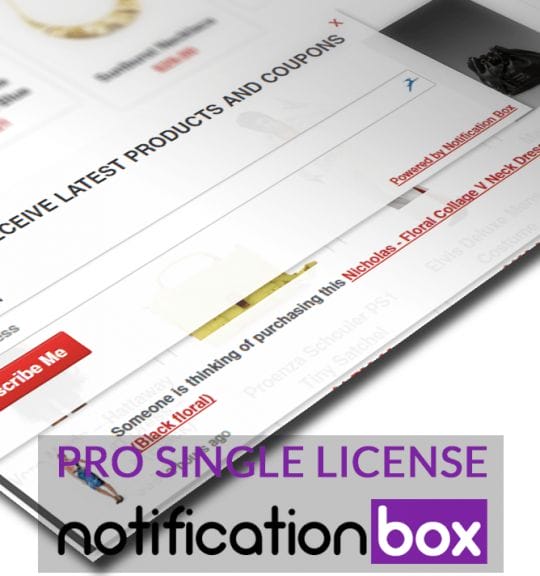
Single License – Notification Box Pro – WordPress Plugin
$39.00 Add to cart

Products
-
Notification Box Lifetime Deal Package
Original price was: $278.00.$160.00Current price is: $160.00.
-
Extension - Cookie Close Notification Box
$19.00
-
Extension - Notification Box Newsletter
$29.00
-
Agency License - Notification Box - WordPress Plugin
Original price was: $230.00.$150.00Current price is: $150.00.
-
Unlimited License - Notification Box Pro - WordPress Plugin
Original price was: $79.00.$60.00Current price is: $60.00.