
Blog

Maximizing Limited-Time Offers in WordPress with Notification Box Notifications
A limited-time offer (LTO), often a cornerstone of digital marketing strategies, leverages scarcity to drive immediate action from consumers. In the context of a WordPress website, effectively communicating these LTOs is paramount to their success. Notification boxes, strategically implemented, serve as a direct and unobtrusive channel for this communication, guiding visitors towards conversion. This article explores the principles and practicalities of maximizing limited-time offers within a WordPress environment using notification box notifications.
Limited-time offers are promotional incentives with a defined expiration. Their effectiveness stems from psychological principles such as scarcity and urgency, which prompt a fear of missing out (FOMO) and encourage prompt decision-making. These offers can take various forms, each with its own strategic implications.
Types of Limited-Time Offers
- Discounted Pricing: A direct reduction in the cost of a product or service. This is arguably the most common LTO, instantly appealing to price-sensitive customers.
- Bundle Deals: Combining multiple products or services at a reduced collective price. This encourages larger purchases and can introduce customers to new offerings.
- Bonus Products/Services: Offering an additional item or service free of charge with a qualifying purchase. This adds perceived value without directly reducing the primary product’s price.
- Exclusive Access: Providing early access to new products, content, or features for a limited period. This fosters a sense of exclusivity and reward for engaged customers.
- Free Shipping: Eliminating delivery costs for a limited time, directly addressing a common online shopping deterrent. This is particularly effective for lower-priced items where shipping can significantly impact the overall cost.
Each of these LTO types should be carefully selected based on your business objectives, target audience, and the nature of the product or service being promoted. A discount on a high-value item may have a different impact than free shipping on a low-value one.
Psychological Triggers of LTOs
The power of LTOs lies in their ability to activate specific psychological triggers. Understanding these is crucial for effective implementation.
- Scarcity: The perception that an item or opportunity is in limited supply or available for a finite duration. This increases its perceived value.
- Urgency: The feeling that immediate action is required to avoid missing out on a benefit. This can be induced by countdown timers or explicit expiration dates.
- Loss Aversion: The psychological phenomenon where the pain of losing something is greater than the pleasure of gaining an equivalent item. Customers are often more motivated to avoid missing a deal than to acquire a new benefit.
By consciously applying these principles, you can craft LTOs that resonate more strongly with your audience and drive a higher conversion rate.
To effectively promote limited-time offers in WordPress using Notification Box notifications, it’s essential to understand the tools available for enhancing user engagement. A related article that provides valuable insights on this topic is available at Notification Box Lite is Out Now. This resource discusses the features and benefits of the Notification Box Lite plugin, which can help you create eye-catching notifications that drive urgency and encourage conversions for your limited-time promotions.
Integrating Notification Boxes for Enhanced Visibility
Notification boxes serves as a digital megaphone on your WordPress site, ensuring your limited-time offers are seen by your visitors. They act as a dedicated communication channel, cutting through the potential clutter of a webpage and delivering your message directly.
Placement Strategies for Notification Boxes
The location of your notification box significantly impacts its visibility and effectiveness. Consider where your visitors are most likely to focus their attention.
- Header Bar: A persistent notification at the very top of your website. This ensures constant visibility across all pages, making it ideal for widely applicable LTOs. It acts as a billboard, always in view.
- Footer Bar: Similar to the header bar but located at the bottom. This can be less intrusive for some users, appearing as they scroll down the page. It’s a subtle reminder, akin to a footnote.
- Slide-in Box: A notification that slides in from the side or bottom of the screen after a user has spent a certain amount of time on a page or scrolled to a particular point. This is less interruptive than a full-screen pop-up.
- Inline within Content: Embedding a notification box directly within the textual content of a page, such as a blog post relevant to the offer. This ensures context and relevance.
Your choice of placement should align with the perceived intrusiveness of the notification and the urgency of the offer. A highly urgent offer might warrant a more prominent, though carefully designed, placement.
Design Considerations for Impact
The visual presentation of your notification box is equally important. A poorly designed box can be easily ignored or, worse, detract from the user experience.
- Clear Call to Action (CTA): The most critical element. The CTA button should be visually distinct and use action-oriented language (e.g., “Shop Now,” “Claim Your Discount”).
- Concise Messaging: Due to limited space, LTO messages in notification boxes must be brief and to the point. Highlight the core benefit immediately.
- Brand Consistency: The notification box should align with your website’s overall branding in terms of colors, fonts, and imagery. Inconsistency can create a disjointed experience.
- Visual Hierarchy: Use font size, bolding, and color to guide the user’s eye to the most important information, such as the discount percentage or the expiration date.
Think of the notification box as a mini-billboard. Every element must work together to convey the message efficiently and persuasively within a small canvas.
Crafting Compelling Offer Messages

Beyond placement and design, the efficacy of your notification box heavily relies on the message it conveys. The language you use should be persuasive and directly address the user’s potential benefit.
Elements of an Effective LTO Message
A well-structured LTO message in a notification box typically includes several key components.
- Benefit-Oriented Headline: Immediately communicate what the user stands to gain. Instead of “20% Off,” consider “Save 20% on Your Next Purchase.”
- Clear Offer Details: State precisely what the offer entails. Is it a discount, a free item, or a bundle?
- Urgency/Scarcity Indicator: Explicitly mention the limited nature of the offer. This could be “Ends Tonight,” “Limited Stock,” or a countdown timer.
- Simple Call to Action: Guide the user directly to the next step.
- Optional: Social Proof (if applicable): Briefly mention if the offer is popular or has a limited quantity remaining (e.g., “Only 5 left!”). This adds another layer of FOMO.
The message should be a direct invitation, a clear path to value, and a subtle nudge towards immediate action.
A/B Testing Message Variations
You should never assume that your initial message is the most effective. A/B testing, or split testing, is crucial for optimizing your LTO messaging.
- Headline Variations: Test different benefit-oriented headlines to see which resonates most.
- CTA Text: Experiment with different action phrases on your call-to-action buttons.
- Urgency Phrasing: Compare the impact of different urgency cues (e.g., “Ends Soon” vs. “Last Chance!”).
- Inclusion of Specifics: Test whether including the exact percentage or dollar amount of a discount performs better than a more general statement.
A/B testing allows you to systematically refine your messaging, improving conversion rates over time. It’s like having a skilled artisan endlessly refining their craft, each iteration leading to greater perfection.
Implementing Notification Boxes in WordPress
Several robust WordPress plugins facilitate the creation and management of notification boxes, making the technical implementation accessible even for users without extensive coding knowledge.
Plugin Selection and Configuration
Choosing the right plugin is an initial, critical step. Consider factors like ease of use, feature set, and compatibility with your existing WordPress setup.
- Popular Notification Plugins:
- NotificationX: Offers a wide range of notification types, including sales alerts, review notifications, and announcement bars. Highly customizable.
- WP Notification Bar: A simpler, often free option for creating basic top or bottom bars with custom messages and CTAs.
- Hello Bar: A robust option that integrates with email marketing services and offers advanced targeting features.
- Key Plugin Features to Look For:
- Customization Options: Ability to control colors, fonts, positioning, and animations.
- Targeting Rules: Essential for displaying specific LTOs to relevant audiences (e.g., only on product pages, to new visitors).
- Scheduling: The ability to pre-schedule the activation and deactivation of LTO notifications.
- Analytics Integration: To track clicks, impressions, and conversions directly from the notification box.
Once a plugin is chosen, its configuration typically involves a user-friendly interface where you can design your notification, set its content, and define its display rules.
Targeting and Segmentation for Relevance
Displaying the right offer to the right person at the right time is paramount. Generic LTOs shown indiscriminately can lead to notification blindness and reduced effectiveness.
- Page-Specific Targeting: Display notifications only on pages relevant to the offer (e.g., a discount on jackets only appears on jacket category pages).
- User Role Targeting: Offer exclusive LTOs to logged-in customers, subscribers, or specific member groups.
- Referral Source Targeting: Greet visitors from specific advertising campaigns with a tailored LTO.
- First-Time Visitor Targeting: Entice new visitors with a welcome discount or offer to encourage their first purchase.
- Cart Abandonment Targeting: Display a notification with a special offer to users who have items in their cart but have not completed the purchase, aiming to recover lost sales.
Targeting turns your notification box into a precision instrument, rather than a broad-stroke brush. It ensures that your limited-time offers are not just seen, but are also relevant and compelling to the individual viewer.
When looking to enhance your promotional strategies in WordPress, it’s essential to consider various tools that can help you effectively communicate limited-time offers to your audience. One such resource is the article on newsletter and cookie extensions, which provides insights into how to optimize your website’s engagement through targeted notifications. You can explore this valuable information in more detail by visiting this link. By leveraging these techniques, you can significantly improve your marketing efforts and drive conversions.
Measuring and Iterating for Success
| Metric | Description | Example Value | Importance |
|---|---|---|---|
| Click-Through Rate (CTR) | Percentage of users who click on the notification box link | 12% | High |
| Conversion Rate | Percentage of visitors who complete the offer after clicking notification | 8% | High |
| Impressions | Number of times the notification box is displayed to visitors | 10,000 | Medium |
| Notification Display Duration | Average time the notification box remains visible on the screen | 15 seconds | Medium |
| Engagement Rate | Percentage of users interacting with the notification (clicks, dismissals) | 20% | Medium |
| Bounce Rate Impact | Change in bounce rate after implementing notification box | -5% | Low |
| Offer Redemption Rate | Percentage of users who redeem the limited-time offer | 6% | High |
| Notification Box Load Time | Time taken for the notification box to load on the page | 0.5 seconds | High |
The journey of maximizing limited-time offers through notification boxes does not end with implementation. Continuous measurement and iteration are vital for ongoing optimization and improved conversion rates.
Key Performance Indicators (KPIs)
Defining and tracking relevant KPIs allows you to assess the effectiveness of your LTOs and notification boxes.
- Click-Through Rate (CTR): The percentage of visitors who clicked on the notification box. This measures the initial engagement and attractiveness of your message.
- Conversion Rate: The percentage of visitors who completed the desired action (e.g., made a purchase, signed up for a newsletter) after interacting with the LTO notification. This is the ultimate measure of an LTO’s success.
- Revenue Generated: The direct financial impact attributable to the LTO.
- Bounce Rate: While not directly tied to the LTO itself, a significant increase in bounce rate after implementing a notification box might indicate it’s too intrusive or poorly placed.
- Time on Page: A well-received LTO notification might encourage users to spend more time exploring your offerings.
Regularly review these metrics to gain insights into what is working and what requires adjustment.
Analyzing Results and Iterating
Data is the compass that guides your optimization efforts. Use the insights gleaned from your KPIs to refine your LTO strategies.
- Identify High-Performing Offers: Which LTO types or specific offers generated the most conversions? Leverage these successful patterns for future promotions.
- Optimize Messaging and Design: If CTR is low, experiment with alternative headlines, CTAs, or visual elements in your notification box.
- Refine Targeting: Are certain segments responding better to specific offers? Adjust your targeting rules accordingly.
- Experiment with Timing and Duration: Is there an optimal time of day or week to launch LTOs? Does a shorter or longer offer duration yield better results?
- Address Negative Feedback: If users are complaining about intrusive notifications, consider less aggressive display options or alternative placements.
Each LTO and its accompanying notification box is an experiment. By embracing this iterative cycle of deployment, measurement, and refinement, you can continuously hone your strategy, turning your WordPress website into a highly effective platform for driving sales through limited-time offers.
TRY NOTIFICATION BOX WORDPRESS PLUGIN
FAQs
What is a notification box in WordPress?
A notification box in WordPress is a customizable message or alert that appears on a website to grab visitors’ attention. It is often used to promote limited-time offers, announcements, or important updates.
How can I create a notification box for limited-time offers in WordPress?
You can create a notification box using WordPress plugins designed for notifications or announcements. These plugins allow you to design, schedule, and display notification boxes with custom messages, colors, and call-to-action buttons.
Can notification boxes be scheduled to appear only during the limited-time offer period?
Yes, many WordPress notification box plugins include scheduling features that let you set start and end dates for your notifications. This ensures the offer is promoted only during the specified time frame.
Are notification boxes mobile-friendly and responsive?
Most modern WordPress notification box plugins are designed to be mobile-friendly and responsive, ensuring that notifications display correctly on all devices, including smartphones and tablets.
Do notification boxes affect website performance or SEO?
When properly implemented, notification boxes have minimal impact on website performance and SEO. It is important to use lightweight plugins and avoid excessive notifications to maintain a good user experience and site speed.
BUY NOW
-
Sale!

Notification Box Lifetime Deal Package
Original price was: $278.00.$160.00Current price is: $160.00. Add to cart -
Extension – Cookie Close Notification Box
$19.00 Add to cart -
Extension – Notification Box Newsletter
$29.00 Add to cart -
Sale!
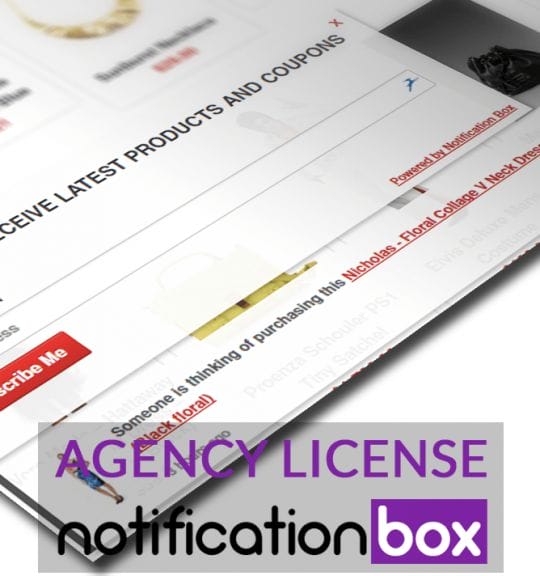
Agency License – Notification Box – WordPress Plugin
Original price was: $230.00.$150.00Current price is: $150.00. Add to cart -
Sale!
Unlimited License – Notification Box Pro – WordPress Plugin
Original price was: $79.00.$60.00Current price is: $60.00. Add to cart -
Single License – Notification Box Pro – WordPress Plugin
$39.00 Add to cart
Products
-
Notification Box Lifetime Deal Package
Original price was: $278.00.$160.00Current price is: $160.00.
-
Extension - Cookie Close Notification Box
$19.00
-
Extension - Notification Box Newsletter
$29.00
-
Agency License - Notification Box - WordPress Plugin
Original price was: $230.00.$150.00Current price is: $150.00.
-
Unlimited License - Notification Box Pro - WordPress Plugin
Original price was: $79.00.$60.00Current price is: $60.00.